Set up in a minute
Four steps. Then just talk.
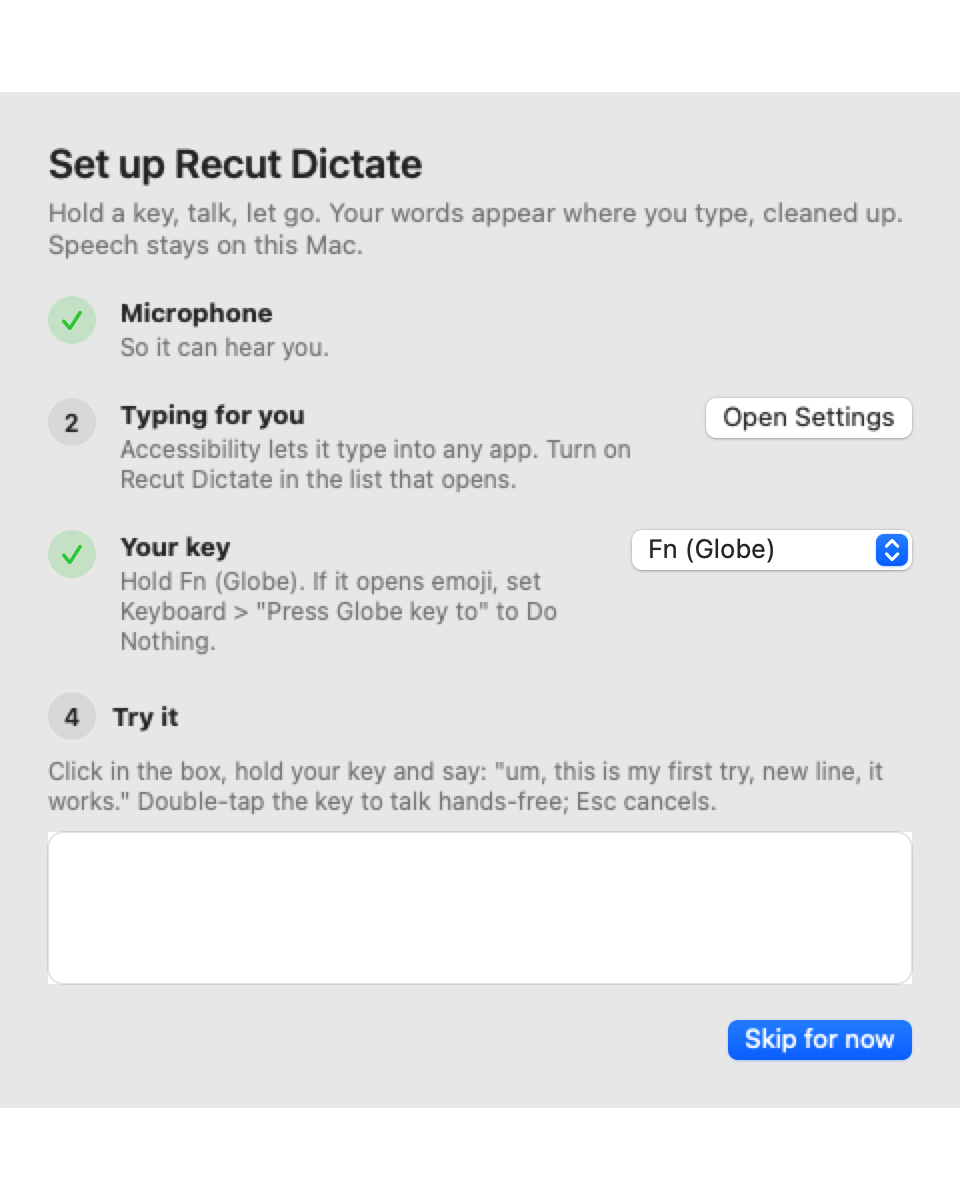
The first launch walks you through the microphone, Accessibility and your key, then gives you a box to try it before you use it anywhere else.
Dictation for the Mac
Hold Fn, say it the way you would say it, let go. Clean text lands wherever your cursor is, in any app.
Speech-to-text runs on your Mac. No app to switch to.
Sam When do we ship the release?
hold Fn and talk
Features
The speech model stays loaded, so a short sentence lands in about 0.15 seconds on an Apple silicon Mac.
Speech-to-text runs locally with whisper.cpp. Your audio is never uploaded.
Drops um and uh and the stutters, and "scratch that" takes back the last sentence. Say "new line" or "new paragraph" to break lines.
Names and terms spelled your way, fixes for words it mishears, and snippets: say "my email" and your address is typed.
In the middle of a sentence it adds the space and skips the capital. Chat apps get no final period.
Select text, hold the key with Shift and say "make this shorter". The selection is rewritten in place.
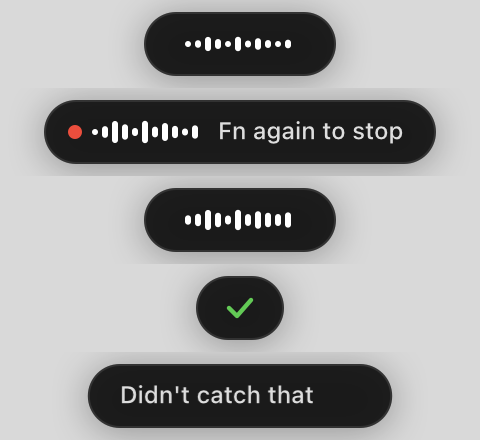
Double-tap the key to keep talking without holding it, press it again to stop. Esc cancels.
Your last dictations are in the menu bar, one click to copy.
Turn it on to fix grammar after the local cleanup. Off by default, so nothing leaves your Mac unless you ask.
Set up in a minute
The first launch walks you through the microphone, Accessibility and your key, then gives you a box to try it before you use it anywhere else.
Privacy
Audio is recorded to a temporary file, turned into text by a speech model running on your Mac, and deleted. Your history and settings are plain files in your Library folder. The only time text leaves the machine is when you ask an AI to rewrite a selection, or turn on AI polish.
FAQ
No. Recording and speech-to-text happen on your Mac. Only two optional features send text (never audio) to an AI model: rewriting a selection by voice, and AI polish, which is off by default.
Hold Fn (the Globe key) by default, or switch to Right Option. If Fn opens the emoji picker, set Keyboard > "Press Globe key to" to Do Nothing.
It types through the clipboard and puts your clipboard back afterwards, so it works anywhere you can paste. Smart spacing reads the text before the cursor where the app allows it, which most native apps do.
The microphone, so it can hear you, and Accessibility, so it can type for you. The setup guide walks you through both and gives you a box to try it.
It is in early access while we use it every day. Join the newsletter to get it when it opens up.